What it does
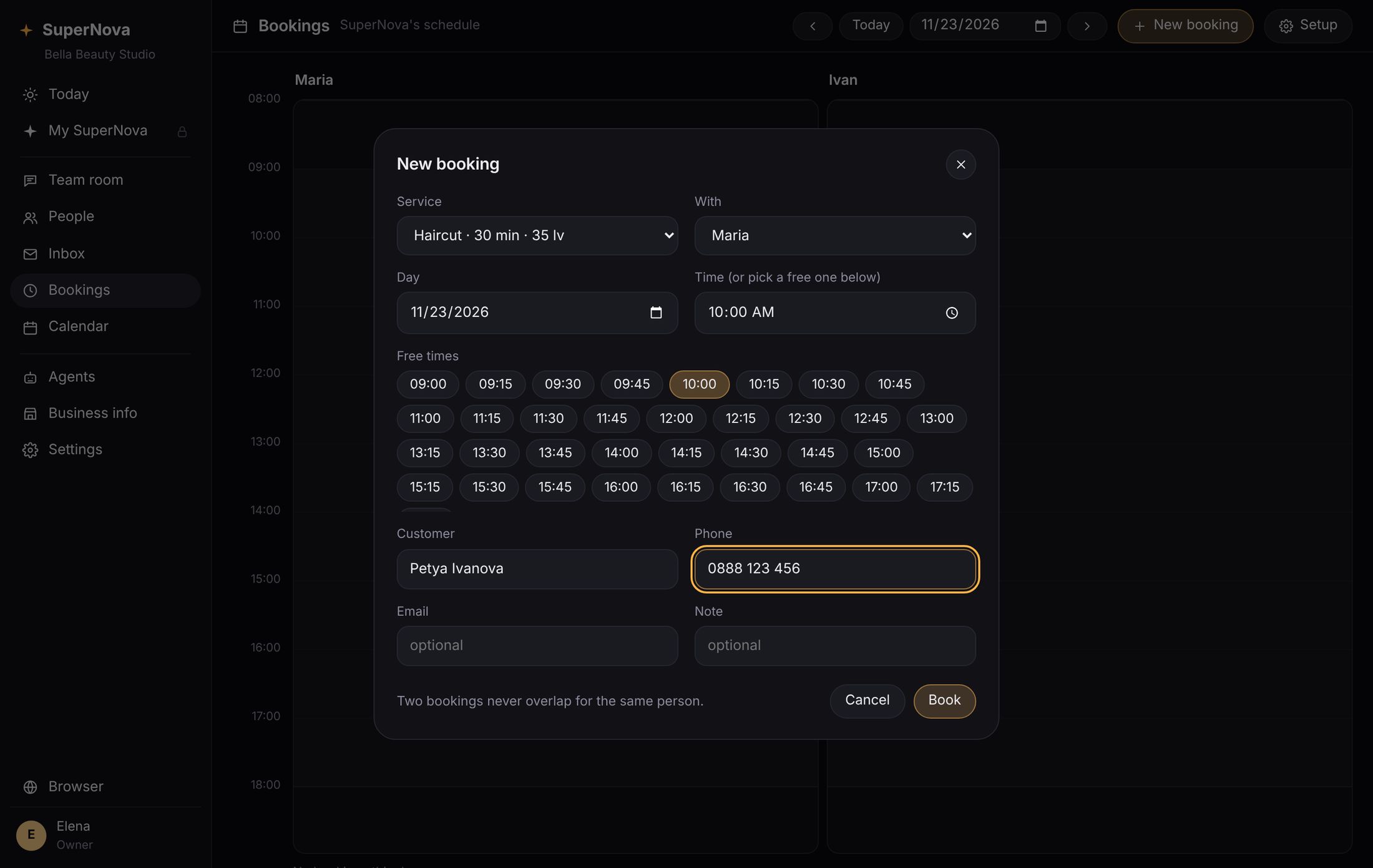
- Day view with a column for each person
- New booking only offers times that are really free
- Two bookings can never land on the same person
- Every booking is posted in the Team room and the Calendar
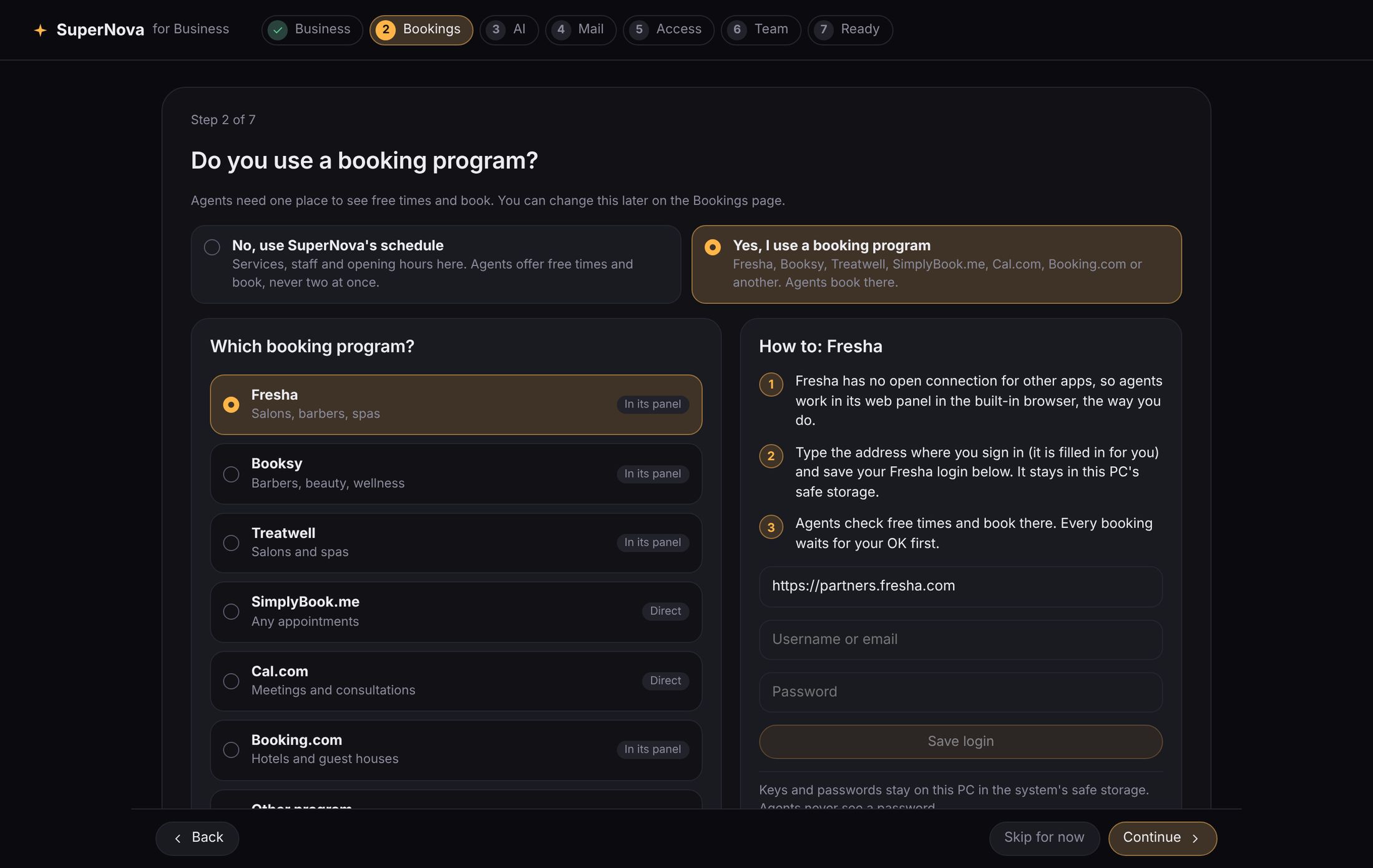
- Cal.com and SimplyBook.me connect with a key
- Fresha, Booksy, Treatwell, Booking.com and others: agents work in your web panel in the built-in browser
Coming soon: Online booking page for your clients · SMS and Viber confirmations
How to use it
Answer one question in setup
“Do you use a booking program?” No: use SuperNova's schedule. Yes: pick yours.
Add services and staff
Name, length, price and who does what. Or press Fill from website.
Let the agents book
In the Team room: “@Bookings book Desi for colour on Monday at 12.”
See the day
Bookings shows each person's day. Click a booking to move or cancel it.
Keep the program you already use
Connect it with a key, or let agents work in its web panel with your saved login.